Set-Up
This section of the documentation is dedicated to how to install one of Hash's Face Tracking Add-ons without any prior knowledge of VRChat avatar creation
Download The add-on From Booth/Ko-fi
Click the download button and unzip the archive if you bought the add-on off of Booth
Download the appropriate version of the avatar
Please look at the store listing of the add-on and there should be a version of the avatar with which the add-on is compatible with.
Download that off of Booth as well.
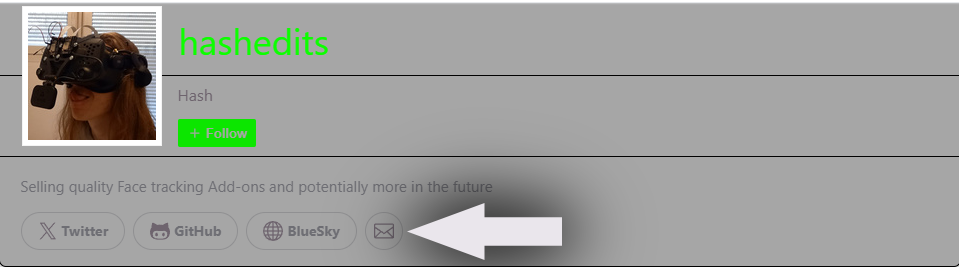
If the specific avatar package version is not available anymore please contact me trough Booth DMs By clicking the mail icon on my Booth page
Open Unity
Open your VRChat Creator Companion and create or open a project.
(when creating a project please use VRChat's default Unity 2022 Avatar Project and name it something that makes sense)
Import the avatar
Drag and drop the .UnityPackage of the avatar above your unity editor window of your project
Click Import on the window that pops up
Import my add-on
Drag and drop the .UnityPackage of my add-on above your unity editor window of your project
Click Import on the window that pops up
Generate the Face tracking model
- Go at the top of your Unity window and click on
Tools->Hash->AvatarName

Some will have multiple options for different prefabs, you're free to do the one you want or all of them
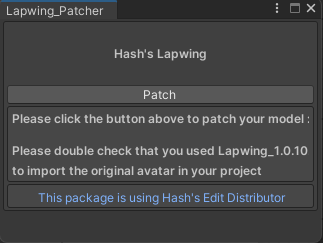
- Click the
Patchbutton on the window that opens
Place prefab in your scene
- Navigate to
Assets/Hash's_Things/AvatarName/prefab
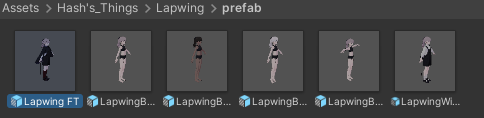
- Drag and drop the prefab you wish to use in your scene
Upload to VRChat
- Open the VRChatSDK window by clicking
VRCSDK->Show Control Panelat the top of your unity window - Log-in to your VRChat account
- Go to the
BuilderTab - Put in a name for your avatar
- Capture a preview image for your avatar
- Accept the terms at the bottom of the window
- Click the big
Build & Publishbutton
Launch VRCFT
VRCFT is available on Steam
Download the module for your tracking device in the module registry
If you need more info here's the documentation on how to set-it up
Launch VRChat
VRChat is available on Steam
Switch into your avatar
- Open the avatars tab
- Go to the uploaded tab
- Click on your avatar
- Click the tickbox bellow the 3D preview to switch into the avatar
Enjoy
Need more info?
You can browse this documentation to learn more on how to apply the add-on to your custom avatar or fix common issues